
最近工作中在拆分ES大索引,有使用到一个python脚本,引用了如下的库,记录一下CentOS7中如何只使用yum安装如下的库。 from elasticsearch import Elasticsearch from dateutil.parser import * from dateutil.relativedelta import relativedelta 报错提示 from elasticsearch import Elasticsearch ImportError: No module named el…
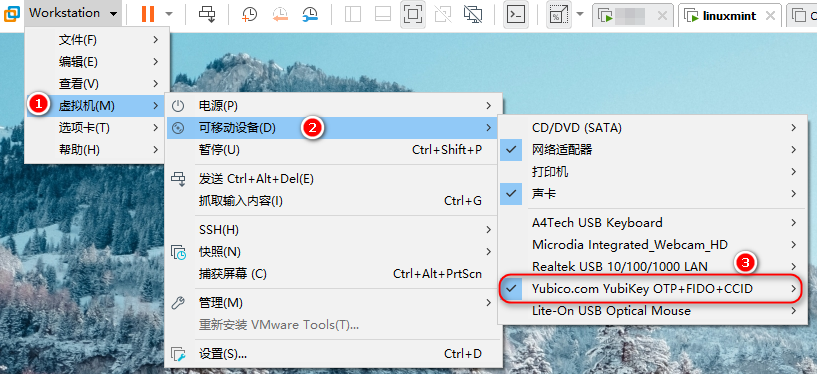
我在VMWare中安装的linux mint,刚开始简单的以为使用yubikey像使用U盘一样的方式,把Yubikey插到电脑上,然后再VMWare里直接选择连接到客户机,dmessge 里有日志显示,但 gpg --card-status 找不到。 根据Yubikey的帮助文档显示,你需要把不是 Shared Yubikey 连接到客户机里,即需要选择如下图的 Yubico.com YubiKey OTP+FIDO+CCID 连接到虚拟机里。 设置方法: 其中 usb.quirks.device0 的值要对应你的…

8月16日使用小米红包购买了小米Pro 15 i7版16G内存的笔记本电脑,6千左右到手。使用体验不是很理想,键盘热感太强列了,出风口不锈钢简直烫手。当然我是说在Gentoo linux下发热比较严重,windows 10下日常使用不会这么烫,因为目前我还不会配置使用核显,装系统的时候配置的使用nvidia显卡。 这款笔记本让我唯一有好感的是3.5K OLED屏,跟我使用的DELL 4K显示器的显示效果一样棒,直的是一入4K屏,其它 1080p的屏幕简直不能看。说了一大堆还没讲到标题的问题,主要原因本来我是想单独开…
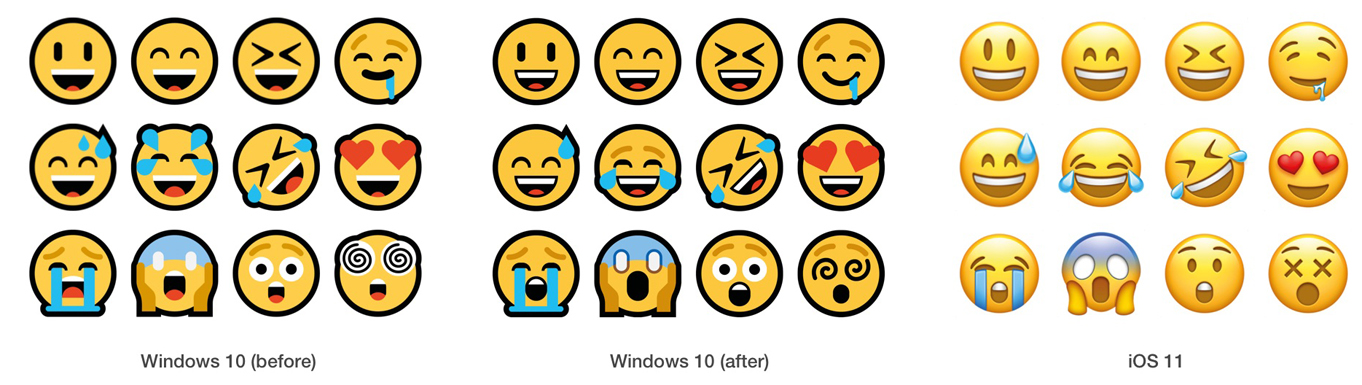
最近项目中使用load file导入文件到低版本MySQL中遇到卡住问题,最终问题为文本文件中某些行包含了emoji表情符号。所以使用python去掉这个emoji符号,然后再导出数据库。 需要安装如下模块: https://pypi.org/project/demoji/ 安装完demoji模块后需要手动下载emoji json文件,如果服务器无法上网,可以本地电脑运行,然后提取这个codes.json文件上传到服务器对应的目录。 代码如下:
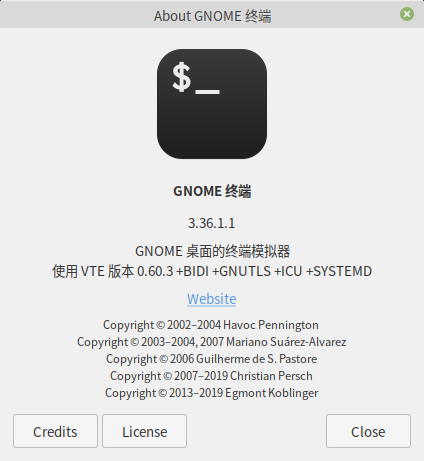
最近在使用Linux Mint 20 Cinnamon桌面,默认的终端为 gnome terminal,一直无法修改为我想要的等宽字体,比如最近喜欢上的 等距更纱黑体 SC,英文名为:Sarasa Mono SC 原因是gnome terminal只认Monospace系列家族字体,所以想办法让系统认为等距更纱黑体 SC就是monospace字体就能解决这个问题。 还是先记录一下怎么安装等距更纱黑体 SC字体吧,从github下载最新压缩包,然后使用7z解压,只要复制sarasa-mono-sc-regular.t…
最近重新燃起学 go 语言的兴趣,起因是修改一个告警信息发送到 IM 的脚本,刚拿到脚本一脸蒙,再后来又要修改这个脚本又是头大。都怪我之前没有学习 go 的基础语法,临时抱佛脚行不得。所以这次下得决心把 go 作为2021年必修技能。 为了减少家庭矛盾 !_!,把家里台式电脑主系统切换到了 FreeBSD,跟游戏彻底88了,经过一个多月已经没有想玩游戏的念头了,更多的时间是在陪家人及怎么打发业余时间,经常996+大小周工作制也没有多少自己的时间,所以现在才知时间的宝贵,而人已到中年。 下面记录了如何在 FreeBS…
最近在使用FreeBSD12.1,并安装了 XFCE4,一切都调试的不错,但发现点击屏幕右上角的锁屏按钮没有反应,这个时候点切换用户,就进入了锁屏状态,但无论你输入正确的密码都无法解锁进入桌面,只能重启系统。 解决方法其实很简单,就是少安装了一个xfce4组件 xfce4-screensaver,使用pkg安装过程记录如下: 安装完成后需要注销重新登录一下XFCE4桌面才会生效。发现还存在的一个问题就上面说过切换用户时会卡住的问题,可使用 CRTL + ALT + F10 快捷键 解决 锁屏时点了切换用户导致解锁不…

Perl 替换字符串 一. 介绍使用 进行查找替换 二. 实例 (1) s/// (2) s///r 用它进行匹配后,原始标量的值不会发生变化,可以把新值赋值给一个新的标量 (3) s///g 多次查找替换 (4) s///e 求值 (5) 如果 regex 里有 / 斜线这样的特殊符号,可以使用如下的定界符 s/// 可以用 s!!! , s{}{} , s{}// 进行替换,m#...# 或 s|...|...| 也都可以。 《Perl语言入门》一书中第八章开篇就有讲到,可以选择任何成对的定界符: m(fred…
近日朋友向我求助说是在CentOS6中编译安装了python2.7后面不知怎么搞的yum也用不了的,本以为很简单的事情,把yum里的头替换一下就好了,结果事情不是那个简单。 参考这篇文章重装 https://www.lizenghai.com/archives/17330.html,所使用的包如下: 下面这些是一些记录,看不懂可忽略这一段 rpm -qa|grep python|xargs rpm -ev --allmatches --nodeps ##强制清除已安装的程序及其关联 whereis python |…

每次新安装FreeBSD后我都会手动使用port安装vim及tmux等常用工具,时常下载依赖包源代码的时候卡很久或者龟速,FreeBSD又没有一个镜像源,那些依赖包的源代码的下载地址默认使用的是源代码软件提供的下载地址。 遇到下载慢的,我通常是把下载地址复制到浏览器手动下载,然后上传到FreeBSD 里的 /usr/port/distfile目录,所以想使用代理。 说到代理,传统上面都使用http https ftp之类的类型,还要配置一大堆,比如: FETCH_ENV=http_proxy=http://prox…